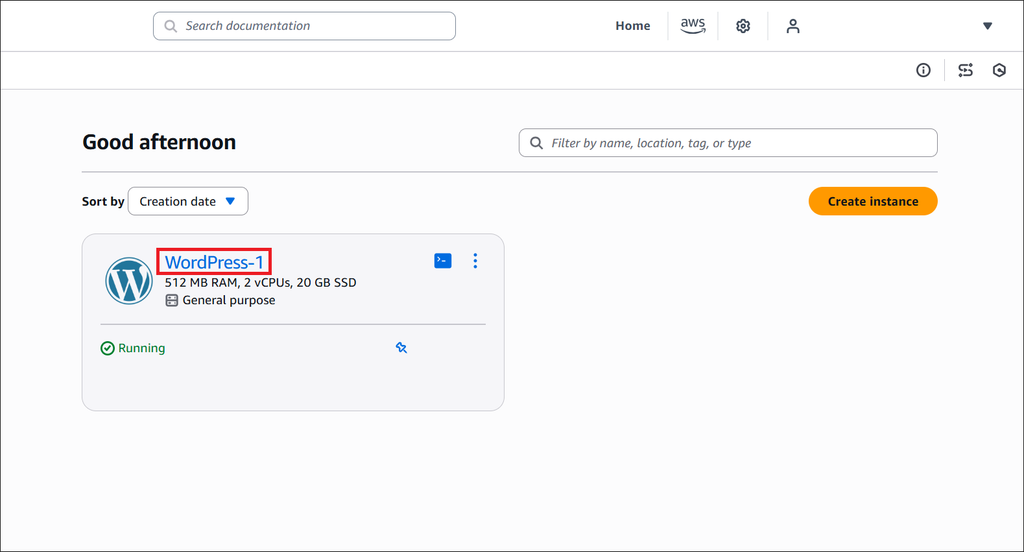
1. Click the WordPress instance
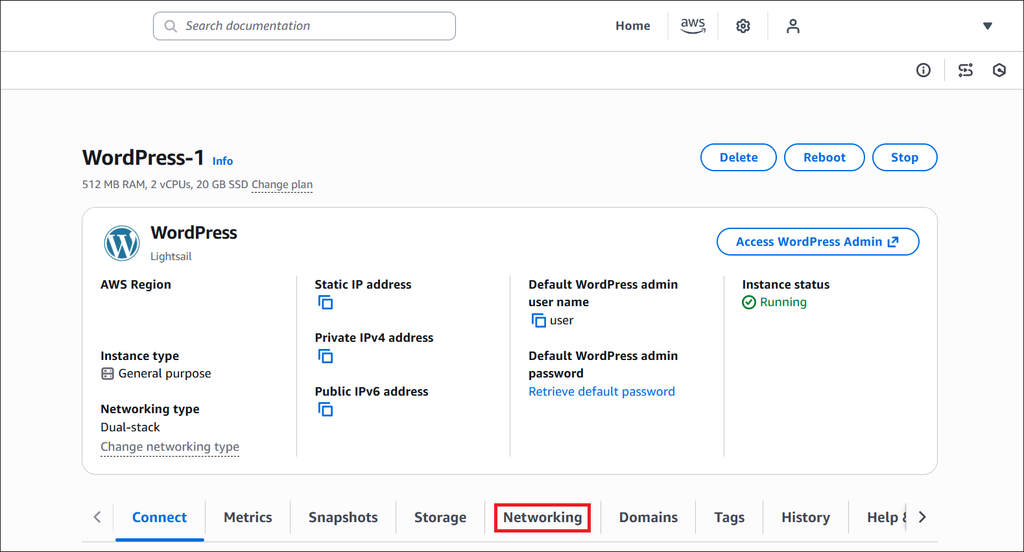
2. Click the “Networking” tab in the bottom menu
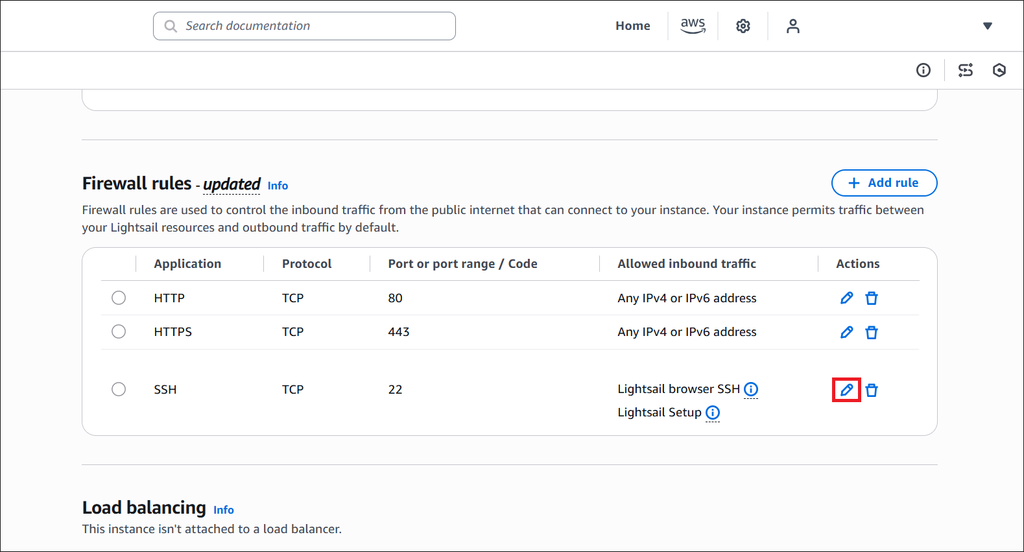
3. Scroll down to the “Firewall rules” section, then click the edit button in the SSH line
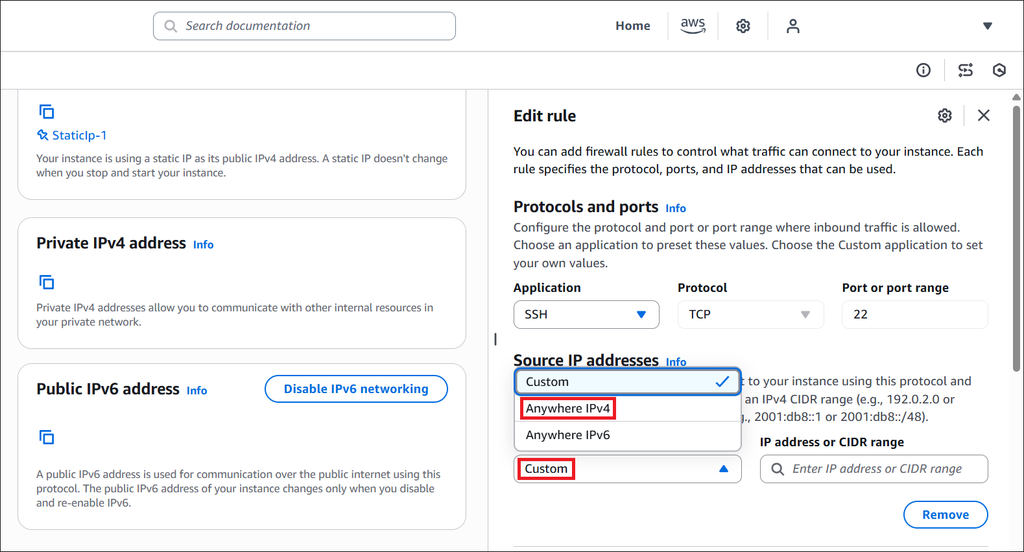
4. Click the “Custom” box in the right panel, then select “Anywhere IPv4” instead
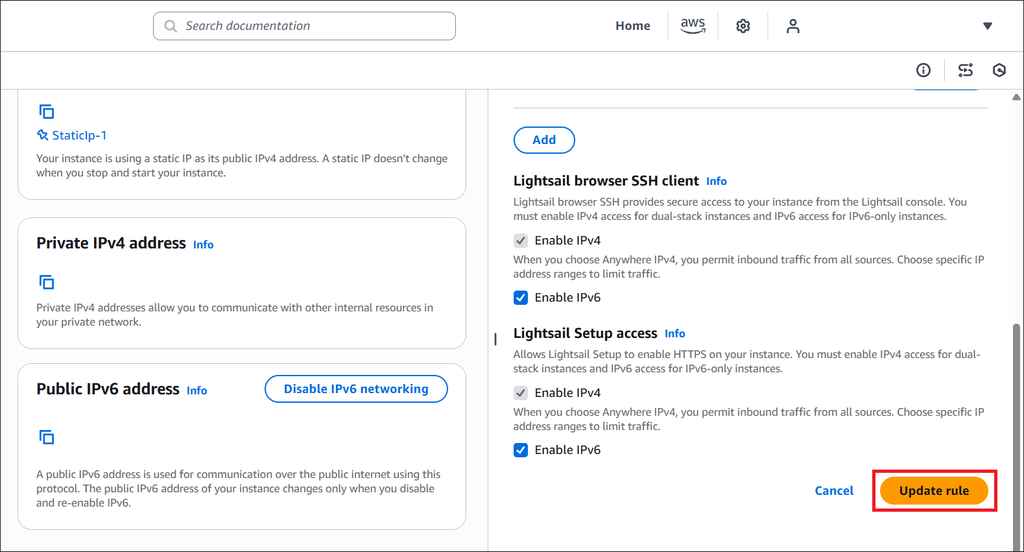
5. Click the “Update rule” button at the bottom
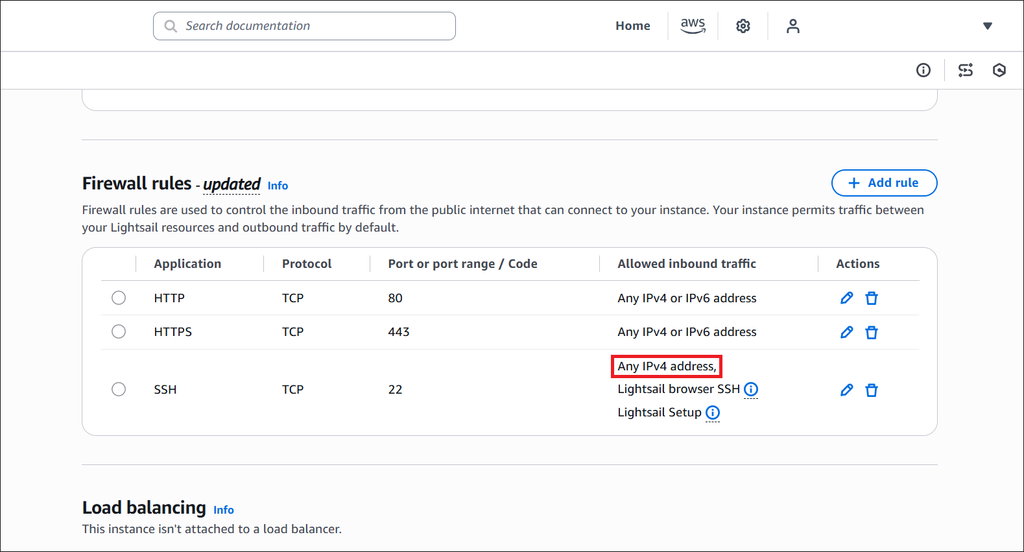
“Any IPv4 address” must appear now in the SSH line, and you should be able to connect your FTP server and database